安装说明Installation Guide
请按以下步骤完成安装,整个过程约需 5 分钟。安装完成后请查看使用说明。 Follow the steps below to install PaySound. This takes about 5 minutes. After installation, see the Usage Guide.
在手机浏览器中打开 www.paysound.app,点击「下载 APK」按钮,等待下载完成。Open www.paysound.app in your phone's browser and tap the "Download APK" button. Wait for the download to complete.
PaySound 未上架 Google Play,安装包直接从官网下载。Google Play Protect 是 Android 的安全扫描机制,它只信任经过 Google 审核的应用,对于来自 Play 商店以外的 APK,默认会弹出警告甚至阻止安装。PaySound is distributed directly from its own website rather than through Google Play. Google Play Protect is Android's built-in security scanner — it only trusts apps that have passed Google's review process, so it may warn about or block any APK installed from outside the Play Store.
PaySound 使用了无障碍权限来读取银行通知并播报金额。无障碍权限属于 Android 最高敏感级别的权限之一,Play Protect 对使用此权限的非 Play 商店 App 审查极为严格,即使没有任何恶意行为也可能触发警告。PaySound 绝无恶意,绝对安全。如果担心,建议用一台不用的旧安卓手机安装,并把此手机作为收款专用。暂停 Play Protect 后即可顺利完成安装。PaySound uses the Accessibility permission to read bank notifications and announce payment amounts. Accessibility is one of Android's most sensitive permissions — Play Protect scrutinises any app that uses it when installed outside the Play Store, and may block installation even if the app is completely safe. PaySound is completely safe and contains no malicious code. If you are still concerned, we recommend installing it on an old spare Android phone and dedicating that device solely for receiving payments. Pausing Play Protect allows the installation to proceed.
打开手机的「下载」文件夹,点击刚才下载的 PaySound APK 文件。Open your phone's "Downloads" folder and tap the PaySound APK file you just downloaded.
系统提示「安装未知来源应用」时,点击允许,然后点击安装,等待完成。When prompted to "Install unknown apps", tap Allow, then tap Install and wait for it to complete.
在手机桌面找到 PaySound 的图标  并点击。
Find the PaySound icon on your home screen and tap it.
并点击。
Find the PaySound icon on your home screen and tap it.
首次打开 App 会显示双语使用声明,阅读完毕后点击「同意并继续」方可使用。点击「退出」将关闭 App。The first time you open the app, a bilingual disclaimer will appear. Read it and tap "I Agree" to continue. Tapping "Exit" will close the app.
激活页面上方会显示你的设备 ID,截图或拍照。The activation screen shows your Device ID — take a screenshot or photo of it.
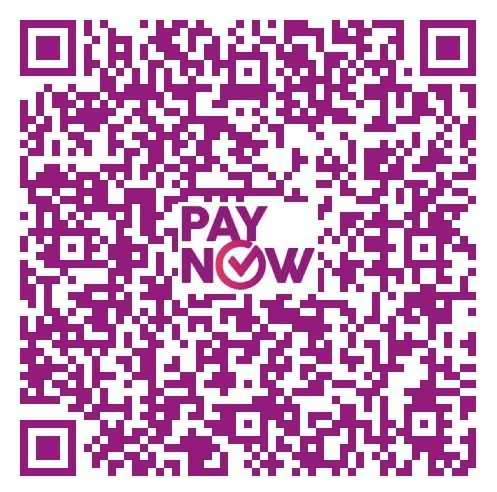
扫描下面的 QR 码,付一次性授权费用 S$68,并把付款凭证截图或拍照。Scan the QR code below to make a one-time payment of S$68, then take a screenshot or photo of the payment confirmation.
将两份截图提供给授权方以获取授权码。授权码格式为三段,例如 XXXX-YYYY-ZZZZ,分别填入三个输入框,点击激活按钮。验证成功后自动进入主界面。Send both screenshots to the licence provider to receive your activation code. The code has three parts (e.g. XXXX-YYYY-ZZZZ). Enter each part into the corresponding box and tap Activate. On success, the app proceeds to the main screen.
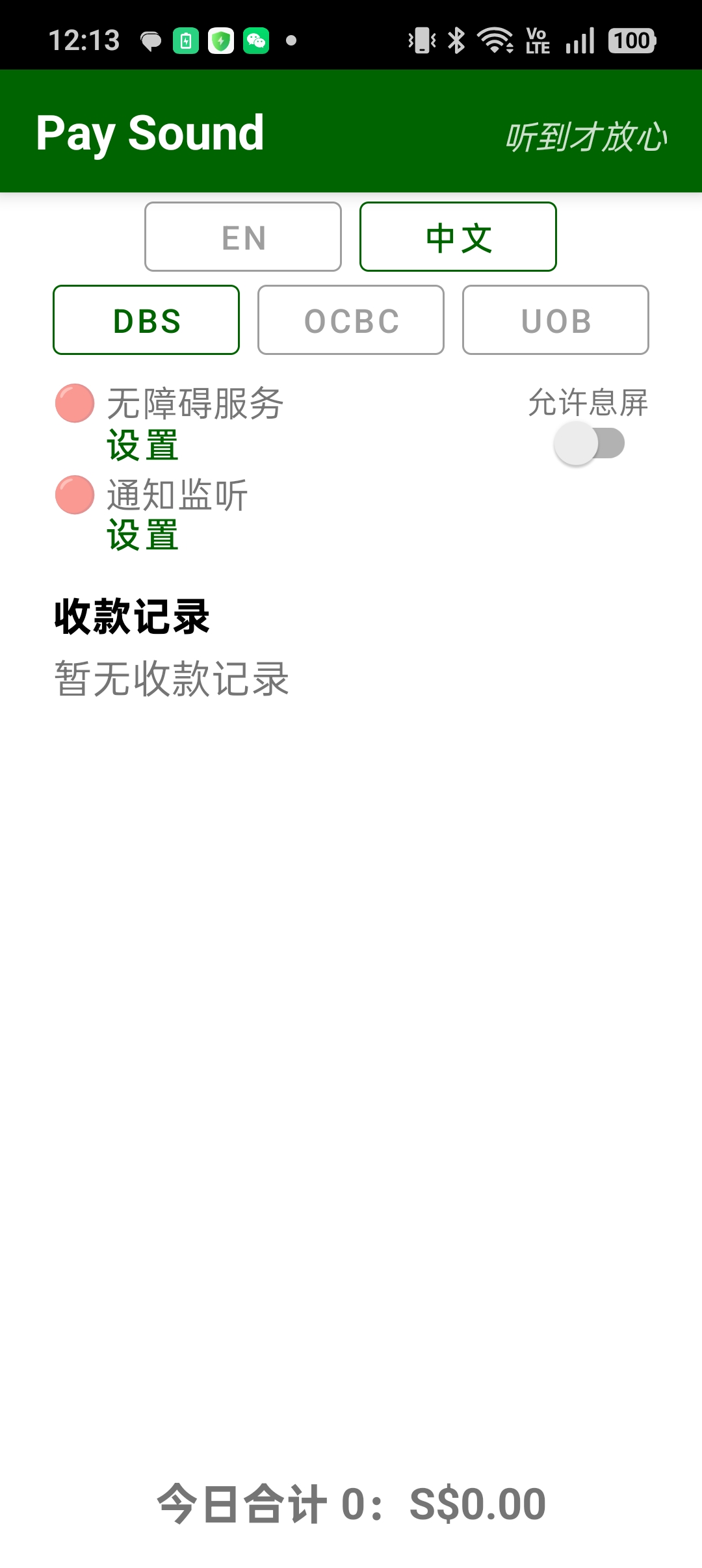
App 的运行界面如下:The app's main screen looks like this:

恭喜!你已成功安装 PaySound。 Congratulations! You have successfully installed PaySound.
如需购买授权码或反馈问题,请联系:[email protected] To purchase a licence or report an issue, contact [email protected]
← 返回首页Back to home